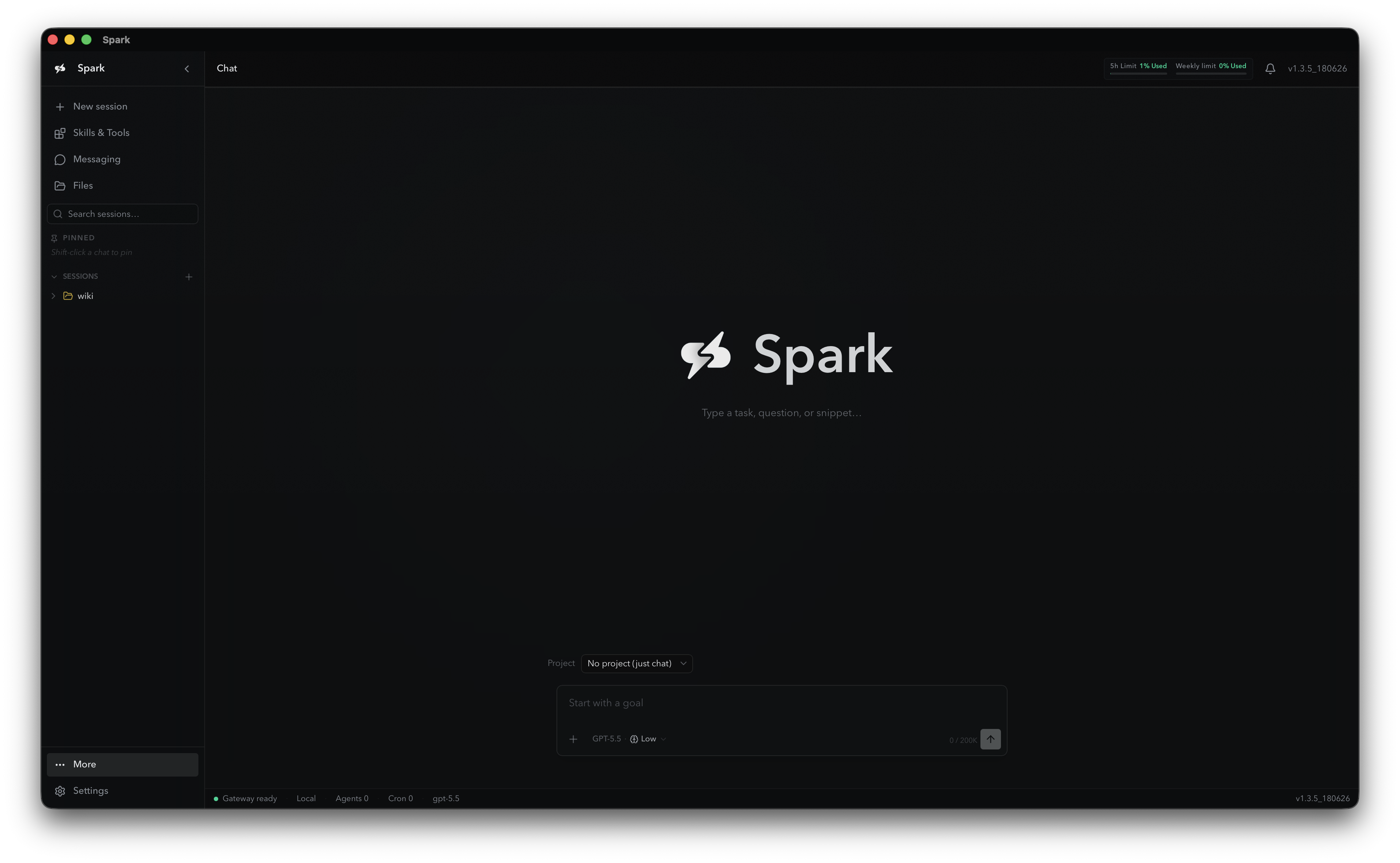
Chat, code, research, automate workflows, manage files, work inside apps, and follow through across projects. Spark is an open-source AI collaborator built to act, not just answer.
Latest macOS release (Apple Silicon) and Windows beta. Linux & WSL2 via the terminal installer.
Why Spark
Not Just a Chatbot. A Working Partner.
Most AI tools stop at suggestions. Spark can use tools, inspect files, edit projects, run commands, automate browser workflows, schedule recurring tasks, and remember useful preferences over time, moving you from idea to action to finished result.
It Takes Action
Spark opens files, edits code, runs checks, creates content, sends messages, schedules jobs, and verifies outcomes. It doesn't just tell you what to do.
It Works in Your Environment
Spark operates inside your actual workspace, with your files, tools, and project structure, not in an isolated toy sandbox.
It Follows Through
For longer tasks, Spark can plan, execute, verify, revise, and report back with exactly what changed.
Built for Developers
Local-First, Provider-Flexible, Docs-Ready
Spark keeps the operational pieces visible: config, credentials, logs, profiles, skills, sessions, and the kanban database all live in predictable places.
~/.spark/config.yamlModel, toolsets, terminal, gateway, memory, dashboard, and runtime settings.
~/.spark/.envAPI keys and secrets for providers and integrations.
~/.spark/skills/Installed skill packs and workflow instructions.
~/.spark/logs/Rotating logs for support, debugging, and diagnostics.
~/.spark/kanban.dbDurable task board state, scoped per profile.
Capabilities
What Spark Can Help With
Build software, automate repetitive work, research and synthesize, work across your tools, and remember how you work, all from one agent that actually executes.
Tools
Terminal, files, web search, browser automation, vision, MCP, delegation, code execution, and more.
Skills
Shareable instruction packs can be browsed and installed from the TUI with slash commands.
Memory + Dream
Reflect on past sessions, consolidate memory, merge duplicates, and keep useful patterns close.
Goals
Set durable objectives with stopping conditions, pause/resume, history, and task-board visibility.
Gateway
Run the same agent through Telegram, Discord, Slack, WhatsApp, Signal, and other platforms.
Kanban
Use a SQLite-backed task board with worker claims, run history, templates, retry, and dashboard API.
Permission levels, checkpoints before file edits, approval modes, and optional security scanning.
In Practice
Ask Spark To…
Give it a goal in plain language. Spark clarifies, chooses the next step, executes it, and keeps going until the work is complete.
> “Build me a landing page for this product.”
> “Find the bug, fix it, and run the tests.”
> “Summarize these customer calls into product insights.”
> “Create a dashboard from this data.”
> “Check this repo and explain how it works.”
> “Schedule a daily report every morning.”
> “Research competitors and make a comparison table.”
> “Turn this manual process into a reusable workflow.”
> “Update this page from my notes.”
> “Write the email, send it to the right channel, and remind me next week.”
FAQ
Common Questions
On macOS you can download the Spark app directly. To run from the terminal (macOS, Linux, or WSL2), Spark needs Git and Python 3.11+, and the recommended one-line installer handles the core dependency setup for you.
Yes. Spark is provider-flexible and includes commands for switching models and reasoning effort. The README recommends models with at least about 64K context for reliable multi-step tool use.
Run spark dashboard. New configs bind the dashboard to 0.0.0.0:9119, with local access available at http://127.0.0.1:9119.
Yes. Spark includes gateway support for messaging platforms including Telegram, Discord, Slack, WhatsApp, Signal, and other integrations documented in the repository.
Spark supports permission levels, checkpoints before file edits, approval modes for risky commands, and optional security scanning.
Yes. The page is install-first for developers, but teams can contact Automate Digital for help with setup, integrations, gateways, internal workflows, and custom agent operations.
Ready to Get More Done?
Give Spark a Goal
The best version of AI isn't a search box. It's a teammate who can think, act, and adapt. Give Spark a goal and it will help you plan it, build it, automate it, and finish it.
 SPARK
SPARK